Veeam offers a number of configuration settings for compression and deduplication when using backup and backup copy jobs and its important to configure these correctly when using de-duplicating storage appliances as a backup repository.
On a backup and backup copy job there are a number of options for configuring the compression level as seen in the image below, and if configured these settings will be used from the first Veeam component involved in the backup (typically a backup proxy). In the case of a Hyper-V host using on-host proxy mode, this is also the source hypervisor.
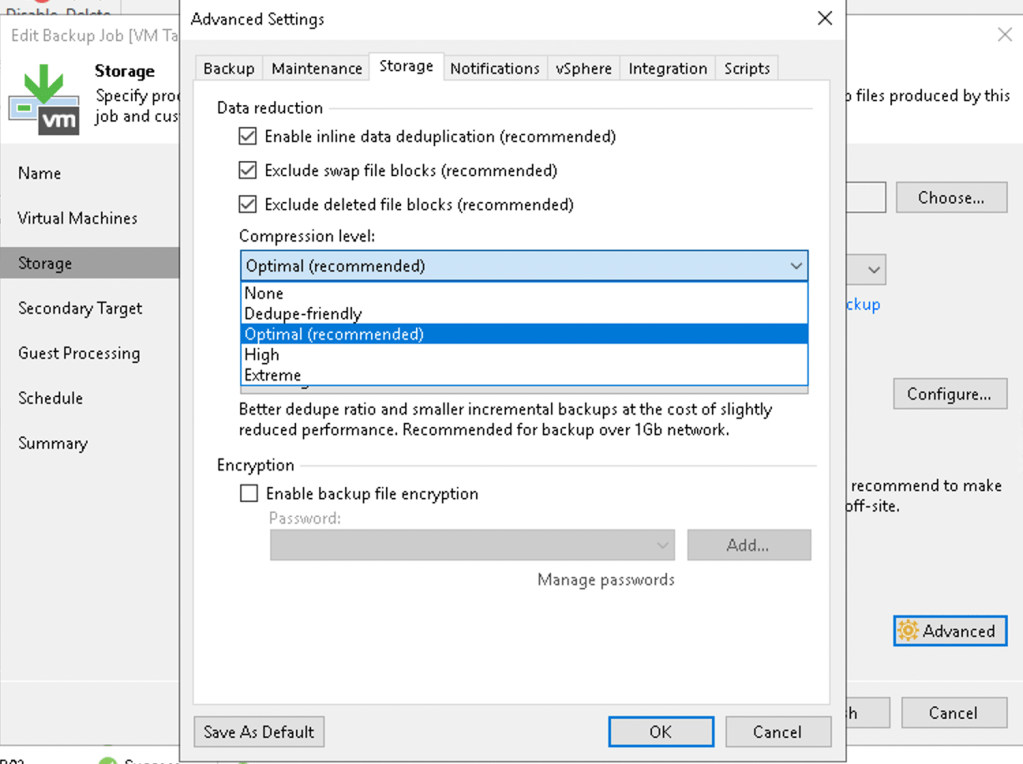
Configuring this option as ‘Optimal’ is generally recommended as this will reduce the network throughput requirements and storage requirements. Veeam provides some feedback on the configured compression-level option:





It’s quite rare to utilise the High/Extreme compression levels in a Veeam environment due to the significant increase in CPU utilisation, if you intend to utilise these options I would strongly recommend targeting very specific workloads with a separate backup job for that purpose.
On the backup repository side there is also an additional option to decompress backup data before storing. This is typically used for deduplicating storage appliances such as the Dell EMC Data Domain or PureStorage FlashArray //C where the appliance performs storage efficiency. This allows the appliance to see the full set of backup data and implement compression/deduplication optimally for that appliance.
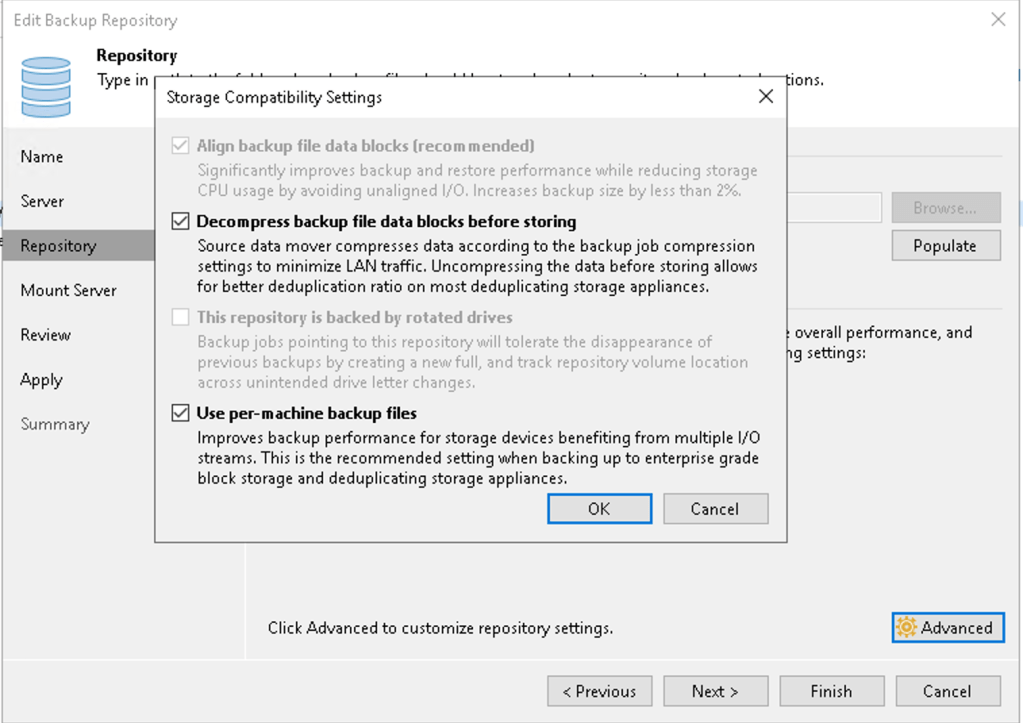
In environments with high-speed networking, hyper-v hosts with on-host proxy mode and deduplicating storage appliances it is worthwhile performing tests with the backup job compression level to ‘Dedupe-friendly’ or ‘None’ with decompress backup file data blocks before storing enabled on the repository. This may reduce the compute workload on the host and allow for backups to complete in a more timely manner as it will not be performing compression and decompression on the proxy and repository server respectively.
 blog.alancroll.com
Nice
LikeLike